Telehealth purchasing requires a clear view of your clinical, technical, and operational priorities.
Choosing a telehealth system is not simply a decision about video quality. For hospitals and multi-site health networks, a telehealth platform must fit clinical workflows. It must also protect patient information, connect with existing systems, and support the remote care their teams deliver.
When comparing telehealth platforms, evaluate more than virtual visits: assess security and compliance, EMR and PACS interoperability, clinical communication, diagnostic viewing, live modality streaming, and AI-enabled monitoring. The right choice depends on whether your organization needs a narrow video tool, a workflow platform, or unified coverage across virtual care, imaging, and monitoring.
That distinction sets the buying boundary. Before reviewing vendors, define what telehealth should include for your organization, which users and workflows it must serve, and where specialist access or imaging capabilities are essential.
What are telehealth platforms, and what should a healthcare buyer expect?
Telehealth platforms use technology to deliver health information, prevention, monitoring, and medical care through a virtual environment. For a healthcare buyer, that definition is broad by design. The important question is not whether a product supports video. It is whether the platform can support the care models, people, data, and clinical workflows your organization actually needs.
A practical taxonomy starts with three models:
- Synchronous care: Real-time communication between patients, clinicians, caregivers, or specialists. Video consultation is one example, but the workflow may also include a nurse or telefacilitator supporting the patient at the originating site.
- Asynchronous care: Also called store-and-forward communication, this model allows information to be collected and reviewed at different points in time. A patient or provider may send medical history, images, or pathology reports to a specialist for review.
- Remote monitoring: Patient data and clinical information are transmitted electronically to a provider. Depending on the program, information may come from devices, staff observations, or data entered by the patient.
These models can overlap. A facilitated virtual visit, for example, may place a patient near diagnostic equipment while a remote provider participates in the encounter. A nurse or medical assistant can collect objective measurements and transmit them to that provider. This is materially different from a standalone consumer video application, where the primary workflow may begin and end with a one-to-one call.
The distinction between direct-to-consumer video and hospital-grade clinical workflows should shape your requirements. Consumer video may be adequate for a limited consultation program. Hospitals and imaging organizations often need role-based access, documented workflows, device support, patient context, interoperability with EMR or EHR systems, and controls for handling protected health information. They may also need to connect clinicians with bedside staff, observe a patient remotely, or share live clinical information from a care setting.
That scope boundary is where many buying decisions become unclear. A narrow point solution can be appropriate when the need is narrow. A broader platform becomes more relevant when virtual care must connect with telenursing, telesitting, specialist collaboration, diagnostic viewing, or monitoring workflows. TeleRay frames these capabilities within virtual care and telehealth workflows, rather than treating telehealth as video alone.
When comparing telehealth platforms, document the exact users and encounters the system must support. List patient-to-provider visits, doctor-to-doctor consultations, asynchronous review, bedside observation, equipment-assisted examinations, and monitoring separately. Then ask whether one platform can manage those workflows with appropriate governance, or whether multiple tools will create avoidable handoffs and fragmented data. This taxonomy gives the buyer a clearer starting point for evaluating security, integration, imaging, and monitoring in the sections that follow.
How should hospitals evaluate security and compliance?
Short answer: Evaluate telehealth security as a combination of technical controls, contracts, configuration, and daily clinical workflow. A credible vendor should document HIPAA support, a business associate agreement (BAA), encryption, identity controls, isolation, auditability, and independent assurance. Your hospital must still configure access correctly, train users, and govern how protected health information is handled.
Begin with the compliance relationship, not a marketing badge. The Health and Human Services (HHS) guidance on privacy and security in telehealth emphasizes compliance with federal and state laws, clear privacy policies, and integration of those policies into telehealth strategy and workflow. Ask which services handle protected health information, where that information flows, how long it is retained, and which subcontractors can access it. Confirm that the vendor will execute a BAA that clearly allocates responsibilities for safeguards, breach response, permitted uses, and data return or deletion.
Then request evidence for the control environment. TeleRay documents AES-256 encryption at rest and TLS 1.3 encryption in transit. It also lists mandatory multifactor authentication (MFA), role-based access control (RBAC), and single sign-on. In a hospital review, these controls should map to real roles. A telenursing user may need different permissions from a radiologist, administrator, or support technician. Ask whether privileges can be limited by role, site, function, and patient context, and whether access can be revoked promptly when responsibilities change.
Infrastructure design deserves the same scrutiny. TeleRay describes isolated Azure storage silos and geo-redundancy. Buyers should ask how tenant or site isolation is implemented, how backups are protected, and how availability and disaster recovery are tested. Auditability is equally important. Confirm that the platform records authentication, viewing, sharing, administrative changes, and exports in logs that authorized hospital teams can review and retain according to policy. A stated security feature has value only when its operation can be verified.
Independent assurance can strengthen the review. TeleRay identifies HIPAA attestation and SOC 2 Type II in its compliance portfolio, alongside NIST alignment and other frameworks. Treat these as evidence to examine, not substitutes for due diligence. Request the current report or attestation, its scope, exceptions, testing period, and remediation status. Also review incident-notification terms, support escalation, penetration-testing summaries, and cyber-insurance language. TeleRay describes a breach insurance policy as part of its security positioning, but insurance does not remove the hospital’s own legal, operational, or configuration responsibilities.
For a focused review of platform safeguards, see TeleRay’s healthcare cybersecurity controls. Finally, validate the complete workflow in a controlled demonstration. Confirm MFA enrollment, RBAC changes, audit-log access, recording and retention settings, device security, and the BAA before production use. Compliance is a shared operating model, not a guarantee created by a vendor claim.
Which integrations determine whether a platform fits clinical workflows?
Answer: The right platform connects to the systems clinicians already use, launches in the right workflow, and can be tested with representative users and data before broader deployment. Integration fit is not measured by a vendor’s connector count alone. It depends on whether identity, clinical context, devices, documentation, and escalation steps work together without creating duplicate effort.
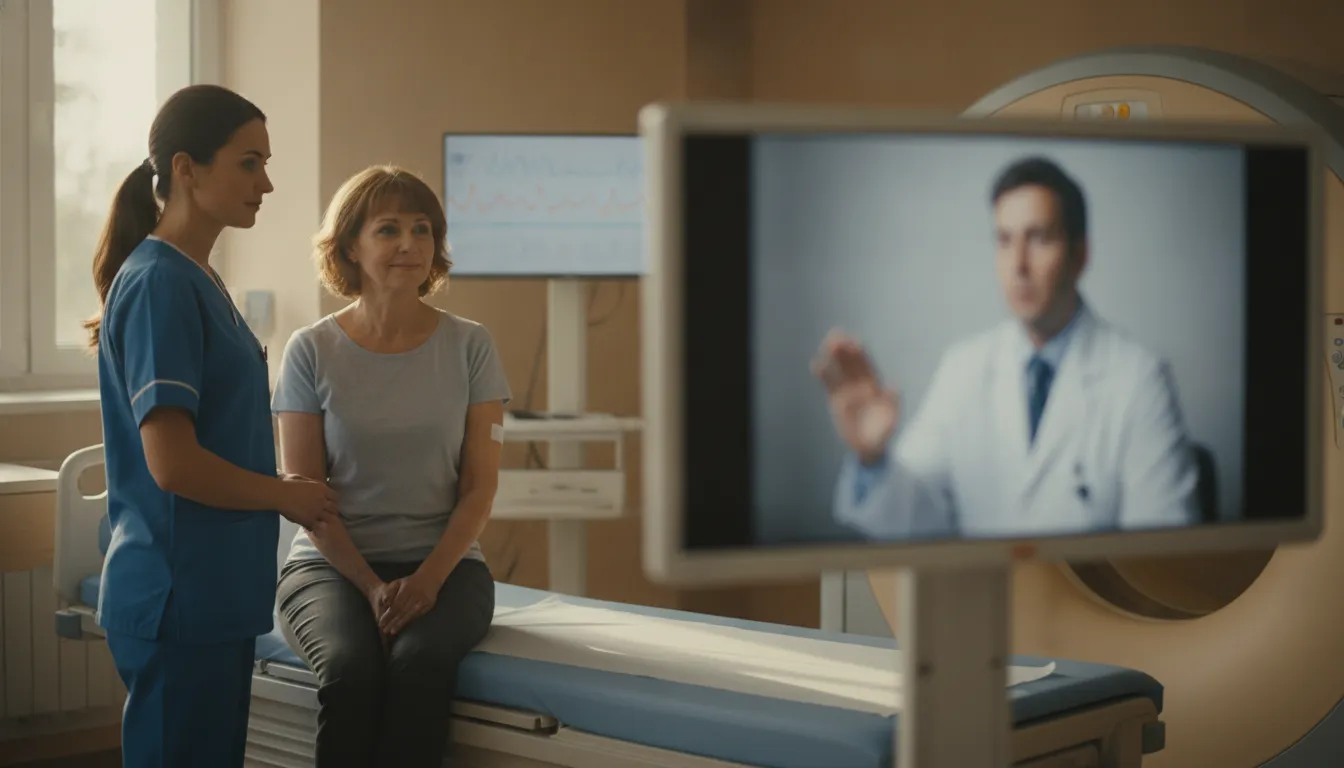
Start by mapping the point at which care begins. A specialist may join a facilitated visit while a patient is beside diagnostic equipment, or a nurse may initiate a telesitting, telenursing, virtual rounding, or tele-ICU session. The platform should make that action predictable for the bedside team. TeleRay Visit supports these workflows, including two-way audio and video, multi-room monitoring, telesitting, telenursing, virtual rounding, and virtual visitation. Review the documented virtual care and telehealth workflows alongside your own current-state process.
| Integration area | What to verify | How to test it |
|---|---|---|
| EMR/EHR | Confirm which patient, encounter, scheduling, documentation, and results data can move between systems. TeleRay reports more than 250 EMR/EHR integrations, including Epic, Cerner, MEDITECH, and athenahealth. | Use a de-identified or approved test patient. Launch the session from the expected chart context, document the interaction, and confirm the receiving record is complete and attributable. |
| Interoperability standards | Ask whether the proposed design uses HL7 v2.x, FHIR R4 REST APIs, SMART on FHIR, SOAP or REST web services, database integration, or file-based interfaces. | Trace one message or API transaction end to end. Check field mapping, error handling, retries, timestamps, and what happens when a source system is unavailable. |
| Identity and access | Validate single sign-on, mandatory multifactor authentication, role-based access, and permissions for clinicians, observers, administrators, and support staff. | Test each role with a realistic scenario. Confirm least-privilege access, session timeout behavior, audit records, and the process for a staff member who changes departments. |
| Workflow launch | Determine whether users can start virtual care, monitoring, or consultation from the tools and locations they already depend on, rather than maintaining a separate manual queue. | Observe a bedside nurse, remote specialist, and administrator completing the same workflow. Record clicks, handoffs, delays, and points where information must be re-entered. |
| Rollout testing | Define acceptance criteria for connectivity, audio and video, alerts, documentation, device compatibility, privacy, and downtime procedures. Avoid assuming that a successful demo proves production readiness. | Pilot with representative locations, shifts, devices, and network conditions. Include failure drills, user feedback, accessibility checks, and a clear owner for each unresolved issue. |
For imaging-connected workflows, ask the vendor to demonstrate the handoff between the clinical session and the relevant records or imaging environment. TeleRay describes support for EMR integration as part of a platform that combines virtual care, medical imaging, and AI monitoring. That unified approach may reduce the number of separate products a team must coordinate, but the practical question remains whether your governance, interfaces, and responsibilities are clearly defined.
Request an integration diagram, interface specifications, sample audit logs, and a test plan during evaluation. Ask who owns configuration, data mapping, user provisioning, monitoring, and remediation. Then repeat the workflow with real-world exceptions, such as a cancelled appointment, missing patient identifier, dropped connection, unavailable device, or clinician working across sites. A platform earns its place when those exceptions are visible and recoverable, not when the happy path looks polished.
Review the detailed EMR and EHR integration information, then use a structured pilot to determine whether the platform supports your clinical, technical, and operational requirements. Timelines should follow the systems involved and the scope of the workflow, not a generic promise.
When do diagnostic viewing and live modality streaming matter?
Answer: Diagnostic viewing matters when authorized clinicians need to interpret medical images remotely. Live modality streaming matters when a specialist must observe an examination or procedure as it happens. Communicate with the local team, and guide the workflow without being physically present. These are distinct capabilities, and healthcare buyers should evaluate them separately when comparing telehealth platforms.
Start with the imaging foundation. DICOM, or Digital Imaging and Communications in Medicine, is the standard used to store and exchange medical images and related information. PACS, or a picture archiving and communication system, organizes those studies so authorized users can retrieve and review them across locations. A platform that supports DICOM 3.0, query and retrieve, modality worklists, configurable routing, anonymization. Multi-site sharing, and cloud PACS functions can fit more naturally into an existing imaging environment. Confirm how the system handles your modalities, user permissions, study routing, and transfer back into the record before assuming interoperability.
Diagnostic interpretation is not the same as observation. Interpretation involves reviewing images to support a primary diagnostic reading within the applicable clinical and regulatory framework. TeleRay states that its diagnostic viewer has FDA 510(k) clearance for primary diagnostic interpretation. That statement describes the viewer’s regulatory status for its intended use. It does not mean the FDA endorses TeleRay, a specific diagnosis, or a particular clinical decision. Buyers should still confirm intended use, deployment requirements, local policies, and the qualifications and responsibilities of the interpreting professional.
The viewer supports studies from modalities including CT, MRI, X-ray, ultrasound, mammography, and PET/CT. With tools such as multiplanar reconstruction, maximum intensity projection, 3D rendering, image fusion, and hanging protocols. Review the platform’s diagnostic imaging capabilities alongside your radiology team’s actual reading workflows. Ask whether the experience supports the image types, displays, controls, and reporting handoffs your organization requires.
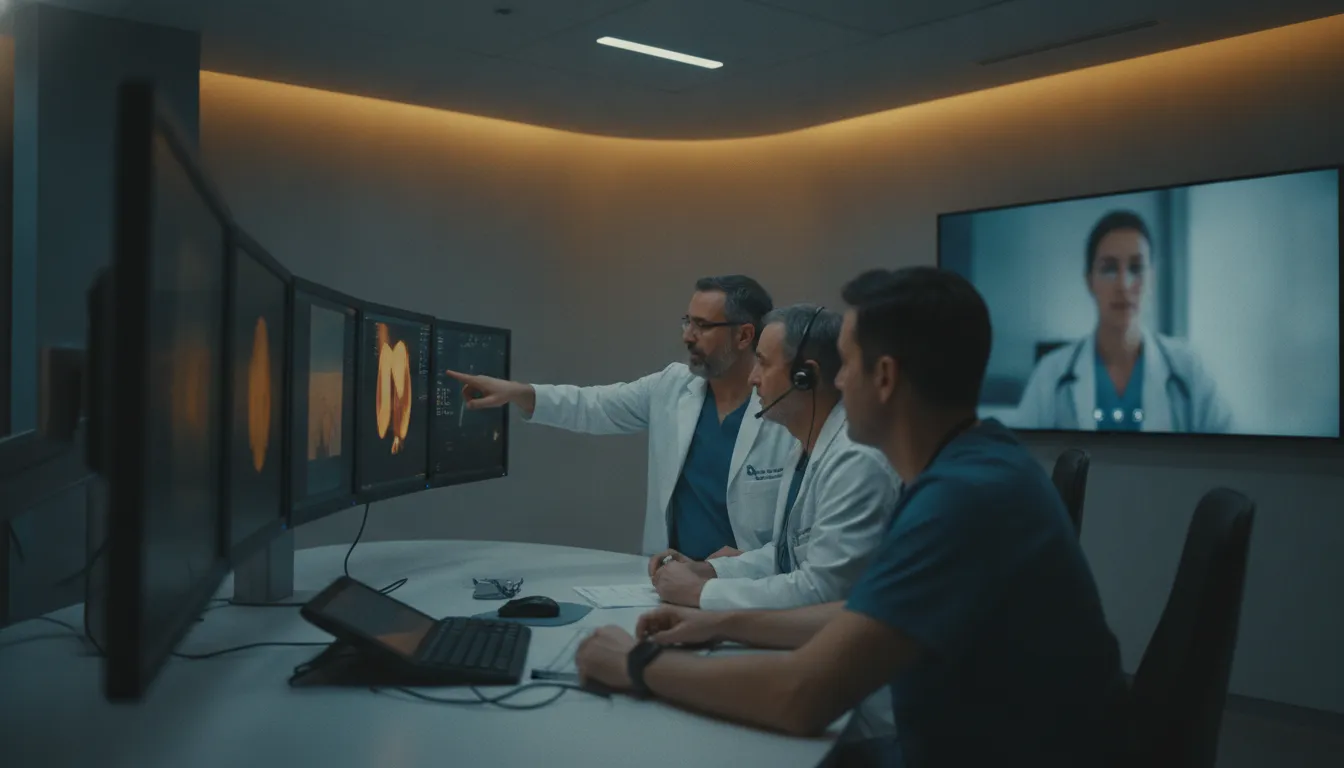
Live modality streaming addresses a different operational need. TeleRay Live can stream procedures from ultrasound, fluoroscopy, MRI, and CT while combining live video conferencing with room and patient views. DICOM transfer can occur after the examination. In practice, this can allow a remote specialist to see the live modality view, communicate with the local technician and patient, and participate in real-time observation. It is particularly relevant when expertise needs to be present during image acquisition, rather than only after a study has been stored in PACS.
During evaluation, ask for a workflow demonstration from modality connection through specialist collaboration and post-exam image handling. Test audio, video, annotation, remote controls, recording policies, latency, consent, and escalation procedures. TeleRay’s live radiology observation materials can help define the use case, but your clinical, privacy, and IT teams must determine whether the configuration is appropriate for your environment.
How should leaders assess AI-enabled monitoring?
Answer: Leaders should assess AI-enabled monitoring as a governed clinical workflow, not as an autonomous decision-maker. Validate what the system observes, how alerts are generated, who receives them, how privacy is protected. And what happens when a trained staff member must review and escalate an event.
For TeleRay’s model of remote care, the relevant use case is close to the patient and the care team. Telesitting, telenursing, virtual observation, and related workflows can help authorized staff monitor a patient environment from another location. The platform lists capabilities such as fall detection, out-of-bed alerts, wandering prevention, aggression detection, seizure detection, PPE monitoring, IV drip monitoring, and infusion-pump alarm detection. These are monitoring functions to evaluate in the context of a facility’s protocols, staffing model, and patient populations, not promises of a particular clinical outcome.
Test the alert logic and escalation path
Ask the vendor to demonstrate an alert from detection through resolution. What event triggers the alert? Can staff distinguish a high-priority event from a condition that needs observation? How are duplicate or repeated alerts handled? Which roles receive notifications, through which channels, and what is the expected response? A useful demonstration should show the workflow for acknowledging, documenting, escalating, and closing an alert.
Human oversight must remain explicit. AI can identify a pattern for review, but authorized clinical or operational personnel determine the appropriate response within their scope of practice. Evaluate whether the system supports clear escalation rules, handoffs between telenursing and onsite teams, and an audit trail that shows who reviewed an event and what action followed. If the workflow cannot define ownership, an impressive detection feature may create noise rather than operational value.
Validate privacy, access, and integration controls
Monitoring often involves sensitive video, audio, and patient context. Confirm where data is stored, how it is protected in transit and at rest. How long it is retained, and whether recording can be restricted by workflow or role. TeleRay lists AES-256 encryption at rest, TLS 1.3 in transit, mandatory multifactor authentication, role-based access, and single sign-on among its controls. Buyers should verify how those controls are configured in their environment, then map them to internal privacy policies and HIPAA obligations.
Finally, test interoperability beyond a feature checklist. Determine whether alerts, observations, and relevant documentation can fit the organization’s existing EMR, staffing, and incident-management processes. TeleRay supports telenursing, telesitting, multi-room monitoring, and virtual observation workflows, so a demonstration should use representative rooms, roles, and escalation scenarios. For additional context, review this guide to AI patient monitoring.
What is the best way to compare telehealth platforms before purchase?
Answer: The best comparison method tests each platform against your real clinical workflows, security obligations, integration environment, and long-term operating model. A polished video demonstration is not enough. Healthcare leaders should use a structured review that shows how the technology performs from requirements definition through pilot governance.
Use the following six-step framework to compare capabilities consistently and give clinical, IT, compliance, and finance stakeholders a shared basis for decision-making.
- Define the care and operational requirements. Start with the workflows the platform must support, rather than with a feature list. Document whether the priority is synchronous virtual consultation, telenursing, telesitting, remote specialist access, live modality viewing, asynchronous exchange, or AI-enabled monitoring. Identify the users, locations, devices, escalation paths, documentation needs, and availability expectations for each use case. This prevents a narrow video tool from being evaluated as though it were a broader clinical workflow platform.
- Run a security and compliance review. Request the vendor’s current documentation for HIPAA-related safeguards, SOC 2 Type II status, access controls, encryption, audit logging, incident response, data retention, and business-associate terms. Treat certifications and attestations as evidence to examine, not as a substitute for your own risk assessment. HHS recommends addressing federal and state privacy requirements and integrating privacy policies into telehealth strategy and workflow. Your organization must still configure the system correctly, train users, and define accountable procedures.
- Validate integration in your environment. Ask for a workflow-level demonstration using your identity model, network conditions, EMR or EHR processes, and imaging environment where possible. Clarify how the platform exchanges information with EMR/EHR systems, PACS, DICOM devices, directories, and other required systems. Confirm supported standards, authentication methods, data ownership, export options, interface monitoring, and who owns testing and remediation. Integration effort depends on system complexity and workflow scope, so avoid accepting a generic implementation promise. Review TeleRay’s unified healthcare technology solutions alongside your own technical requirements.
- Demonstrate the complete workflow, not just the interface. Ask the vendor to show the experience from scheduling or request initiation through connection, device use, documentation, escalation, and closeout. If imaging is in scope, distinguish diagnostic interpretation from remote observation and confirm which users need which permissions. If monitoring is in scope, test alert routing, acknowledgment, escalation, and human oversight. A workflow demonstration should include realistic exceptions, such as a disconnected device, unavailable specialist, failed authentication, or incomplete documentation.
- Govern a limited pilot with measurable questions. Define the pilot population, locations, workflows, success measures, training plan, support model, and decision owners before launch. Measure operational indicators such as connection reliability, time to complete required steps, documentation completeness, alert handling, user adoption, and support burden. Do not treat a pilot as proof of guaranteed clinical outcomes. Instead, use it to surface configuration gaps, usability barriers, and responsibilities that were unclear during procurement.
- Assess total fit and future operating cost. Compare the complete model, including licensing, hardware, implementation, training, support, security administration, integration maintenance, upgrades, and exit requirements. Ask whether one platform can cover enough of the required virtual care, imaging. And monitoring workflows to reduce avoidable fragmentation, while recognizing that a point solution may still fit a narrow use case. Separate published prices from enterprise elements that require a quote, and document every assumption. The final decision should reflect workflow coverage, governance readiness, interoperability, security, and sustainable ownership, not the largest feature count.
Before signing, have clinical, IT, compliance, and procurement leaders independently review the same demonstration evidence and pilot findings. A platform is a strong fit only when its capabilities, controls, integrations, and operating responsibilities align with the way your organization actually delivers remote care.
Frequently Asked Questions
What is the best platform for telehealth?
The best platform depends on your clinical workflows, patient population, interoperability requirements, security program, and service model. A basic video tool may fit scheduled visits, while a hospital may need telenursing, telesitting, virtual consultation, diagnostic viewing, live modality streaming, and AI-enabled monitoring in one environment. Compare platforms against documented use cases, integration requirements, access controls, escalation workflows, and support responsibilities rather than relying on a universal ranking.
What are considered telehealth platforms?
Telehealth platforms are technology systems that support virtual delivery of health information, prevention, monitoring, or medical care. They can include synchronous video encounters, asynchronous store-and-forward exchanges, remote monitoring, virtual rounding, specialist consultation, and connected clinical workflows. For healthcare buyers, the important distinction is whether a platform supports only communication or also connects people, clinical data, imaging, devices, and the organization’s existing care processes.
What are the best telehealth apps?
The right app is the one that patients and clinicians can use reliably while meeting the organization’s privacy, security, documentation, and integration requirements. Evaluate browser and mobile access, authentication, accessibility, scheduling, visit documentation, interpreter support, device compatibility, and how information reaches the electronic health record. For higher-acuity or imaging-dependent workflows, also test clinician collaboration, modality access, and escalation paths instead of evaluating an app only on its video experience.
What is the best free platform for telehealth?
A free option can be useful for limited, low-complexity communication, but free access does not by itself establish suitability for regulated clinical operations. Before adoption, verify the business-associate agreement, data handling, encryption, identity controls, auditability, support model, and integration capabilities. Confirm that the product’s terms and configuration support your organization’s legal and clinical requirements, and assess the full operational cost of workarounds, administration, training, and fragmented workflows.
Schedule a telehealth platform strategy discussion
A focused conversation can help your team connect security, interoperability, clinical workflows, imaging, live modality streaming, and AI-enabled monitoring requirements before selecting a platform. TeleRay can help you frame the evaluation around the needs of your organization and the workflows your clinicians support.