Clinical Workflow Optimization Guide
Clinical workflow optimization is a decision method, not a software purchase. Healthcare leaders use it to see where work stalls and whether a tool fits that work. They then sequence changes across imaging and virtual care without treating every delay as an automation project. The useful question is narrow: which handoff, information gap, or unclear owner is worth fixing first, and what evidence would show the change is safe to expand?
What clinical workflow optimization means for leaders
A clinical workflow is the path work takes from a trigger to a defined end. It includes the people involved, the information each step needs, the systems that hold that information, the decisions someone must make, and the handoff to the next role. Clinical workflow optimization is the disciplined effort to improve that path. It is not a promise that a new platform will shorten visits, raise throughput, or change clinical outcomes.
Leaders get into trouble when they treat imaging and virtual care as one process. An imaging path can run from an order through scheduling, acquisition, image access, review by the appropriate professional, and a report back to the care team. A virtual-care path may mean arranging observation or a remote visit, connecting bedside staff with a remote clinician, and sharing the information that visit needs. Map each path on its own terms. A delay in one does not explain a delay in the other.
The Agency for Healthcare Research and Quality makes the same point for health IT planning. Its Workflow Assessment for Health IT Toolkit says successful implementation depends on recognizing how technology affects clinical and administrative work, and that the system can later supply information to reorganize that work. The toolkit was written for ambulatory settings, but the evaluation habit travels: look at the work before you look at the product.
Optimization and automation are not the same decision. A 2021 review in Applied Clinical Informatics found that automation works best when a task is well defined and repetitive. The right level also depends on how much human judgment the step still needs. The authors also note that healthcare automation has most often targeted administrative and operational tasks, and that goals have to be checked after go-live rather than assumed. Read the paper, Identifying Opportunities for Workflow Automation in Health Care, as a filter: if a step requires professional judgment, technology should support the person who owns it, not replace that judgment.
How to map friction before you buy anything
Start with the people who do the work and the people who receive it. Ask them to walk one typical case from the trigger to “done.” Capture the normal path and the exceptions: missing information, rework, interruptions, unclear ownership, and the workarounds staff already trust. A screen recording of the software is not a workflow. The workflow is what happens when the screen is wrong, late, or unused.
- Set the boundary. Name where the process starts and ends. “Image exchange between two sites” is a boundary. “Fix imaging” is not.
- List roles and handoffs. Include clinical, administrative, and technical owners. Mark who acts and who must receive the result before the next step can start.
- Record friction as evidence. Write the step, the condition, and the consequence staff describe. Keep proposed solutions in a separate column so the problem statement stays clean.
- Compare routine cases with exceptions. Incomplete orders, unavailable systems, and a specialist who is not in the building all change the path. Those variants are often the real opportunity.
- Write one question the team can test. Example: can the intended participants see the needed images inside the current governance model, or does the work leave the approved systems?
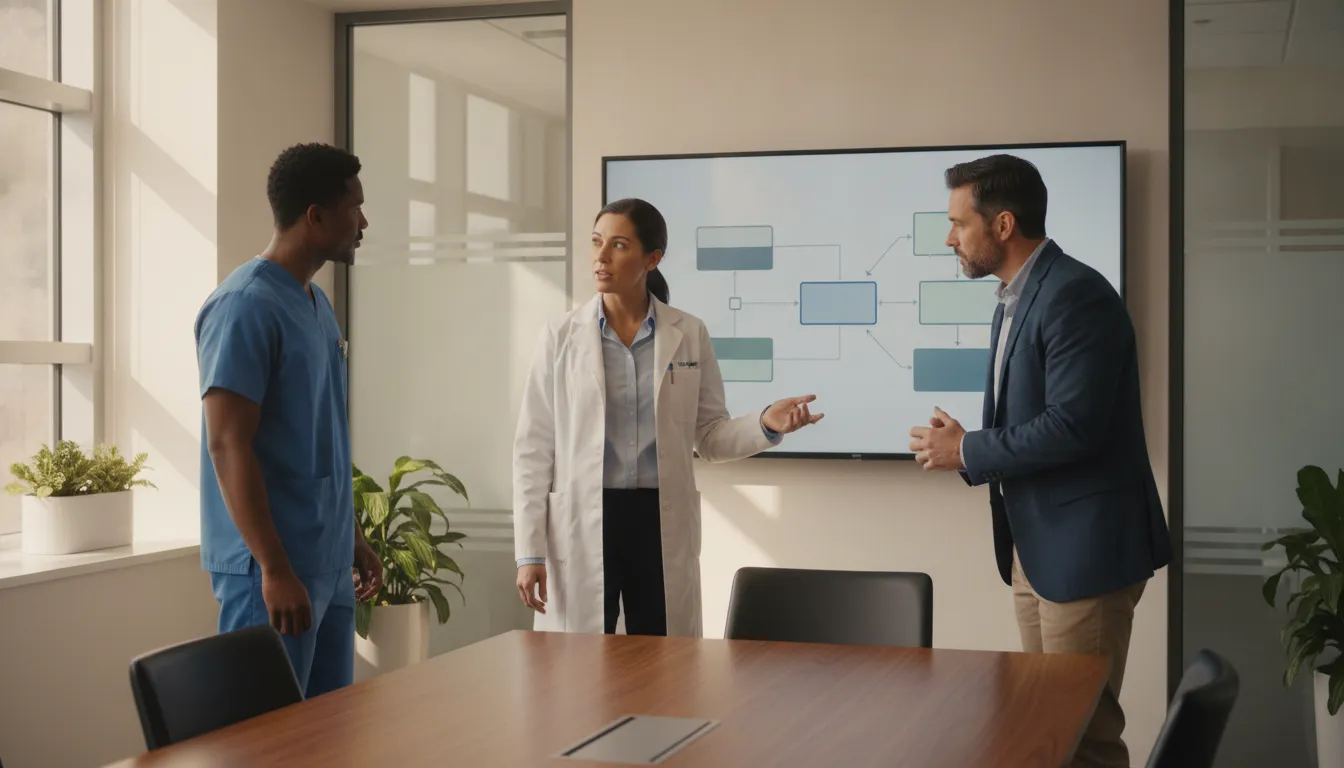
A current-state map can stay simple. Each box needs an action, a role, and the information required to proceed. Mark decision points, queues, duplicate entry, and handoffs. Then add a second layer for exceptions. Validate the map with more than one role. A clinician may describe the decision, an administrator may describe the routing, and an IT analyst may know which system actually holds the record. Disagreements are findings. Assign an owner to resolve them before anyone writes requirements.
Protect patient information while you do this. Use approved observation methods, limit access to what the evaluation needs, and bring privacy and security reviewers in when the work touches identifiable records. A workflow exercise is not a reason to collect informal screenshots or side copies of studies.
Which opportunity should you assess first?
Most organizations can name a dozen friction points after a single mapping session. Assessing all of them at once produces a program, not a decision. Rank a short list with criteria the group can apply the same way to every candidate.
How to rank a workflow opportunity before a technology review.
| Criterion | What to look for | Why it changes the sequence |
|---|---|---|
| Boundary. | The start, end, and owner are named. | Unbounded problems cannot be piloted. |
| Evidence. | Staff can point to a repeated step, workaround, or missing handoff. | Anecdotes without a step are hard to test. |
| Judgment load. | The step is routine coordination, or it requires a licensed decision. | High-judgment steps need support, not unattended automation. |
| Dependency. | The change needs another system, policy, or team first. | Blocked items wait, even if they feel urgent. |
| Reversibility. | The team can stop or narrow the pilot without disrupting care. | Reversible work is a better first move. |
Turn the top candidate into a one-page decision brief. State the boundary, the evidence, the roles, the information the step needs, the systems already in use, and what “done” means for a pilot. Leave outcome promises off the page. “Fewer phone calls to locate a study” is an operational observation the team can count. “Better care” is not a requirement.
Imaging and virtual care often compete for the same attention. Keep them in separate briefs. A radiology director may be looking at study access and remote specialist participation during a procedure. A nursing leader may be looking at who watches which rooms and how a virtual nurse hands work back to the bedside. Those are different owners, different risks, and different pilots. Related reading can go deeper on one path without replacing this decision: the PACS imaging workflow guide covers how studies move, and the virtual nursing guide covers hospital models for remote nursing support.
How to judge whether technology fits the work
Only after the brief is stable should a team look at tools. Technology fit means the product can carry the information, the handoff, and the access rules the brief already named. It does not mean the product has the longest feature list.
Use scenarios taken from the map, including one exception. For imaging, a useful scenario is a live procedure where a remote specialist needs to see the modality. Speak with the local technologist, and still have the completed study available afterward. For virtual care, a useful scenario is observation or a virtual round where bedside staff and a remote clinician share a view of the patient and a clear handback. If the scenario needs a radiologist’s interpretation, remember that software can move images and reports. It does not perform the read and it does not staff the reading service.
Ask the same questions of every option:
- Which role still owns the clinical decision, and what does the tool show that person?
- Does the workflow stay inside approved systems, or do staff still export studies and messages to finish the job?
- Can access follow the organization’s roles, and is there a signed business associate agreement where protected health information is involved?
- What is software, and what is hardware? Streaming, carts, and workstations have published ranges. Enterprise platform scope is quoted, not guessed from a storage price.
- What would make the pilot stop? Name the safety, privacy, or downtime condition in advance.
Teleray is one platform a team can place against those questions when the brief involves both imaging and virtual care. Virtual care covers telenursing, telesitting, and virtual rounds. Radiology workflows include live modality streaming so a specialist can view a procedure and talk with the local team, plus study access after acquisition. EMR integration connects reporting and image enablement with the record systems the organization already runs, including a footprint of more than 250 EMR and EHR systems. None of that removes the need for the brief. A platform that cannot serve the named handoff is a poor fit even if it is broader than the problem.
Security belongs in the fit test, not in a slogan. Confirm HIPAA obligations, how diagnostic viewing is cleared, and what the contract covers if there is a breach. Teleray publishes a security and compliance overview, including HIPAA expectations, SOC 2 Type II, FDA 510(k) clearance for diagnostic viewing, and breach insurance. Treat those as checklist items to verify in procurement, not as proof that a local deployment is already configured correctly. Do not read FDA clearance as an endorsement of a clinical outcome.
How to sequence the work so the first pilot can teach you
Sequence by dependency and reversibility, not by which vendor meeting is already on the calendar. A practical order for imaging and virtual care looks like this.
- Confirm the system of record. Know where the order, the images, and the note live today. If modality worklist or device integration is part of the friction, settle that interface before you add a new viewing path.
- Pilot one bounded path. One site, one modality family, or one virtual-care model. Give it an owner, a stop rule, and a review date.
- Separate access from interpretation. Getting an image to an authorized viewer is an operations problem. The diagnostic read remains a clinical service the organization arranges on its own.
- Add the second setting only after the first review. A telesitting pilot and a live-streaming pilot answer different questions. Running both on day one hides which change caused which result.
- Revisit governance before you scale. Role-based access, retention, and downtime procedures should be written for the pilot volume and then rewritten for a wider rollout. The telesitting and monitoring guide is a useful companion when the second setting is virtual observation, not imaging.
Measurement stays operational. Count handoffs that still happen outside the system, time spent locating a study or a person, and whether the named owner received the information the brief required. Compare those counts with the baseline from the map. Do not publish a savings figure or a quality claim the pilot did not measure. AHRQ’s toolkit is explicit that workflow assessment continues after implementation, because the technology changes the work and then reveals the next reorganization.
Pricing should stay in the same sequence. Confirm hardware that has a published price, such as modality streaming, against software and integration scope that is quoted. The pricing page is the place to see what is listed and what requires a conversation. A low storage line item is not a total cost if migration, training, or EMR connectivity sits outside it.
What to ask before you move past the pilot
A pilot that “felt better” is not a decision. Before a wider rollout, the sponsor, the clinical owner, IT, and privacy should be able to answer the same short list.
- Which step changed, and which role still owns the clinical decision?
- What evidence from the pilot matches the original brief, and what did not?
- Which exceptions still leave the approved systems?
- What access, retention, and downtime rules were actually tested?
- What is in the quote, and what remains a professional-services item?
- What would make the organization reverse the change?
If those answers are thin, the next step is another mapping pass, not a broader contract. Enterprise imaging strategy and a formal imaging scorecard are neighboring decisions. They matter when the organization is choosing a long-range platform or comparing diagnostic viewing in depth. They are the wrong first document when the open question is still which friction to fix, and in what order.
Frequently asked questions
What is clinical workflow optimization?
It is a structured way to improve how clinical work moves from a trigger to a completed handoff. Leaders map the people, information, systems, and decisions involved, then test a bounded change. It is not the same thing as buying automation or promising a clinical result.
What is a clinical workflow?
A clinical workflow is the sequence of tasks, roles, information, and handoffs required to finish a defined unit of work. An imaging study and a virtual nursing round are both workflows, but they have different triggers, owners, and end points.
What are the steps to optimize a clinical workflow?
Set a boundary, map the current path and its exceptions with the people who do the work, rank one opportunity, write a decision brief, test technology against that brief, and pilot the smallest reversible change. Review operational evidence before you scale.
Does clinical workflow optimization always require new software?
No. Some friction is an ownership, policy, or training problem. Software helps when the brief shows a real information or access gap, such as a specialist who needs to see a live modality or a virtual-care team that needs a governed handback to the bedside. The Teleray solutions overview is a catalog of those capabilities, not a substitute for the brief.
Can imaging software replace a radiologist?
No. Teleray provides software for image access, exchange, diagnostic viewing, and workflow support. It does not perform radiology reads and it does not provide staffed radiologists. Interpretation stays with the qualified professional the organization designates.
Put the next evaluation on one page
Clinical workflow optimization holds up when a leader can point to one boundary, one set of evidence, and one pilot with a stop rule. Imaging and virtual care can share a platform later. They should not share a vague goal at the start. Write the brief, test fit against the handoff you actually have, and keep clinical judgment with the people who own it.